
Camera kit for TY programme
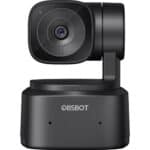
Obsbot Tiny SE 1080p camera
- Initial Setup: Connect the USB-C cable to the camera and your computer. Use the provided USB-C to USB-A adapter if necessary.
Obsbot Tiny SE 1080p camera
-
Initial Setup
- Charge: Before first use, charge the speakerphone for at least 30 minutes using the integrated USB cable.
- Power On: Press and hold the Power button for 2 seconds to turn the device on. (Power button is very sensitive.)
- Connect to Computer (Wired): Plug the USB cable directly into your computer’s USB-C or USB-A port (using adapter).
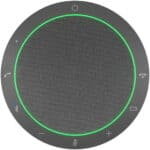
- Audio Settings: Select the Jabra Speak2 55 as the default speaker and microphone in your operating system and video conferencing application (e.g., Webex, Teams, Zoom).
Connect via Bluetooth- Activate Pairing Mode: Press and hold the Bluetooth button for 3 seconds.
- Pair Device: Go to your smartphone, tablet, or PC’s Bluetooth menu and select the Speak2 55 from the list.
- Voice Guidance: Follow the voice-guided instructions to finalize the connection.
- Note: The speaker can remember up to two Bluetooth connections.
To book a tech check call please get in touch with Deividas @ [email protected]